
How to Resize and Compress Passport Photos in 3 Steps
Prepare compliant passport photographs, candidate signatures, and identity card scans in seconds:
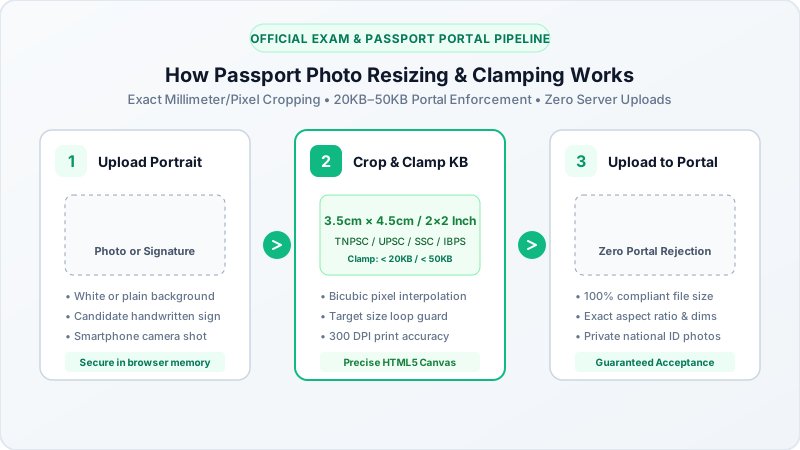
- Select or Drop Your Photo: Click the upload area above to choose your portrait picture, signature scan, or ID document from your computer or smartphone.
- Select Target Size (20KB or 50KB): Pick your application requirement—choose 50KB for passport photos and identity cards, or 20KB for signatures and thumbprints.
- Download Compliant Image: Click Convert All Files to process your image locally in browser RAM. Save the optimized file directly to your device ready for instant portal upload.
Official Portal & Government Exam Specifications
Recruitment commissions, civil service portals, and identity card authorities enforce strict upload dimensions and byte limits:
| Document / Portal Type | Target Size Limit | Required Dimensions | Accepted Formats |
|---|---|---|---|
| Passport & Visa Photos | 20KB to 50KB | 35mm x 45mm (200 x 230 px) | JPG, JPEG |
| Candidate Signatures | 10KB to 20KB | 140 x 60 pixels | JPG, JPEG |
| Biometric Thumbprints | 10KB to 20KB | 100 x 100 pixels | JPG, JPEG |
| Aadhar / PAN Card Scans | Under 100KB | 600 x 400 pixels | JPG, PNG |
| State Civil Service (TNPSC, UPSC) | 20KB to 50KB | 200 x 230 pixels | JPG, JPEG |
| Banking & Railway Exams (IBPS, RRB) | 20KB to 50KB | 200 x 230 pixels | JPG, JPEG |
| EPFO & Driving Licence Portals | 20KB to 50KB | 35mm x 45mm | JPG, JPEG |
Tips for Passing Automated Portal Photo Verification
Most modern government and university portals use automated computer vision scripts to validate uploaded images before accepting an application:
- Clean Plain Light Background: Stand against a plain white or light off-white wall without shadows or wall textures.
- Centered Face Proportion: Ensure your face occupies between 70% and 80% of the vertical frame height. Looking directly into the camera with both ears visible is recommended.
- Preserve Signature Contrast: When scanning your signature, sign with a dark blue or black pen on unlined white paper. Crop tightly around the ink to dedicate maximum byte budget to the signature strokes.
- Strict File Size Verification: If a portal mandates "under 50KB", an image of 50.1KB (51,300 bytes) will be rejected. Our binary search engine guarantees the output file stays strictly within the mandated limit.
Complete Privacy with Zero Cloud Uploads
Personal identity documents, biometric signatures, and facial passport photographs are sensitive personal information. Traditional converters upload your photos to third-party cloud servers.
BestConverter operates 100% locally in your device RAM:
- Your biometric photos and signatures never leave your device.
- Zero server logs, zero database storage, and zero data mining.
- Verify independently in your browser Developer Tools Network tab.